Day
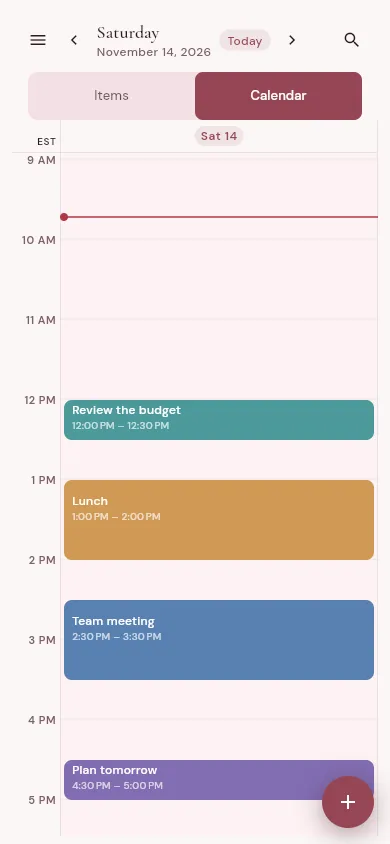
Your hour-by-hour companion when you're in action mode.
Digital planning like it’s meant to be. 4 time-based views. Reschedule without rewriting. Reminders so you never miss what’s planned. Habit tracking. And more.
Join the waitlist and you’ll be the first to know when we launch.
Write it the way you'd say it. Shurly parses the date, time and recurrence from your text, and shows you what it understood before you press enter.
One item, four distances
Four ways to look at the same plans, one for each kind of planning you do.
Your hour-by-hour companion when you're in action mode.
For your weekly planning session, so you know what's coming up.
A bird's-eye view of the month, so your plans line up with your goals.
The big picture: your whole year at a glance, with your goals in sight.
Writing a plan by hand is how a lot of us think. On a tablet with a pen, Shurly gets as close to that as we could make it: room to see the whole week, and the feel of writing it down, with nothing lost and everything easy to move.
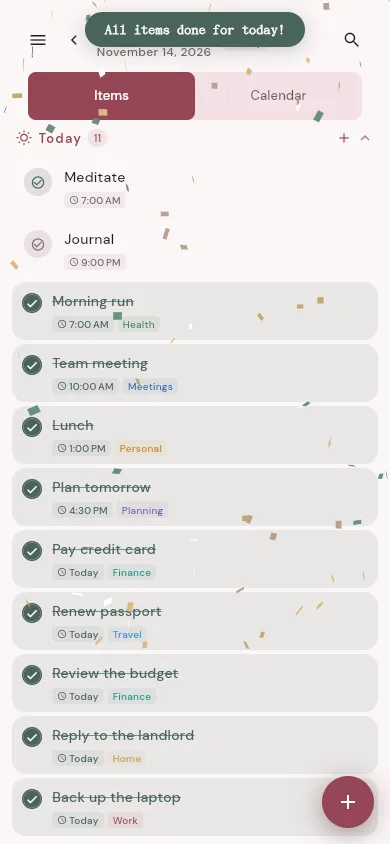
Your to-do list sits beside the calendar. Drag a task onto an hour and it becomes a block of your day.
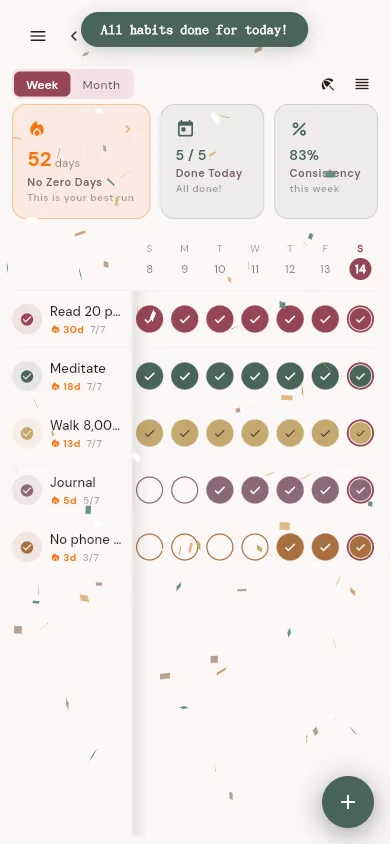
Streaks, and a “No Zero Days” chain across all your habits. Mark vacation days and the chain waits for you.
Running late on Wednesday? Move that gym session and only that one moves. Changing your routine for good? Apply it from that day on, or edit the whole series.
Plan on a flight, on the train, or anywhere without signal. Everything works without a connection and syncs when you’re back online.
A nudge at the time, or 15 minutes, an hour or a day before. Add more than one when it matters. Not ready yet? Snooze it.
Your plans sync across all of them, and each one works fully offline.
Join the waitlist and you'll be the first to know when we launch.
Not quite yet. We're gearing up for the first release. Join the waitlist and you'll be the first to know when we launch.
Yes, completely. Everything is stored on your device first, so you can plan on a plane or in a basement.
When you're back online, changes sync to your other devices. If the same thing was changed in two places, Shurly shows you both versions and lets you choose.
Android and iPhone/iPad today, in beta. Apps for macOS, Windows, Linux and the web are on the way, and they will all share one account.
Email [email protected]. A person reads every message. Bug reports, ideas and “how do I…” are all welcome.